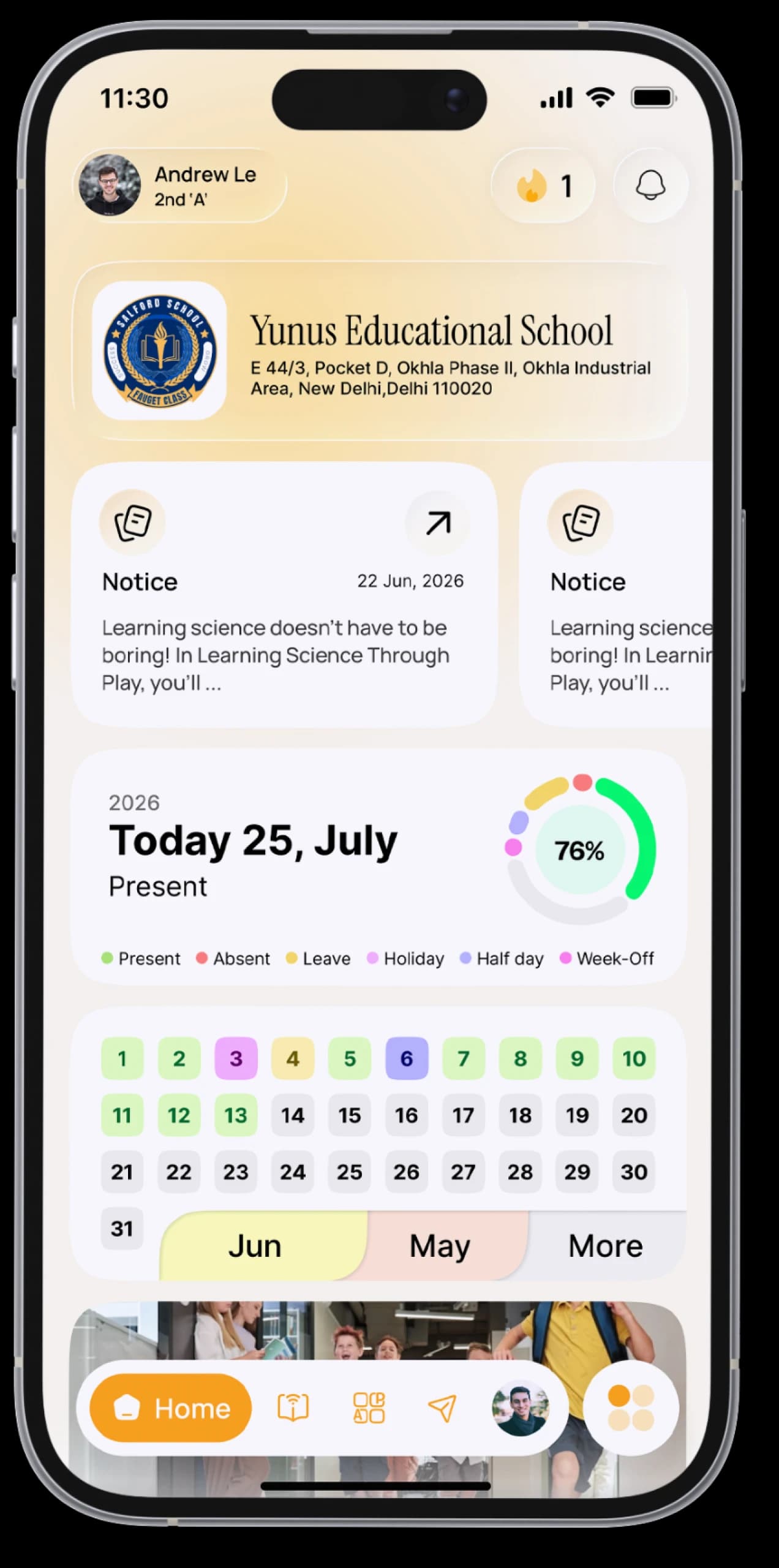
Every child. One login.
Log in with your mobile number, choose a child, and follow their school day: homework, attendance, notices, fees and teachers.


The everyday problem
School information reaches you late or second-hand. With two or three children, sometimes at different schools, keeping up is even harder.
How SchoolAura helps
One parent login lists all your children. Pick one and see exactly what they see, and switch to another child whenever you like.
Made for your day.
For parents
- Log in with your mobile number and choose from all your children, each shown with their class, roll number and school
- Switch between children any time from My Kids, even if they study at different schools
- See each child's homework, notices, attendance and holidays
- Apply for leave with a supporting document, and see the school's decision
- Check fee dues and receipts, and pay online where the school offers it
- Message teachers, and find the bus driver's number
- Keep up to five accounts on one phone, such as your parent login and a child's student login
- Unlock SchoolAura Prime for a child who wants courses and practice exams
Simple, step by step.
- 01
Download the SchoolAura app.
- 02
Tap Login as Parent and enter the mobile number registered with the school, along with your password. Your school may have e-mailed your login details.
- 03
Choose a child.
- 04
Use the app just as your child does. To switch child, open My Kids.
- 05
Forgot your password? Reset it with a one-time code sent to your registered mobile number.
Small things, big difference.
All your children
In one app.
School tasks from home
Leave, fees and receipts.
A direct line
To their teachers.
Questions, answered.
More ways SchoolAura helps.





Be part of their school day.
Download SchoolAura and log in with the details your school shared.