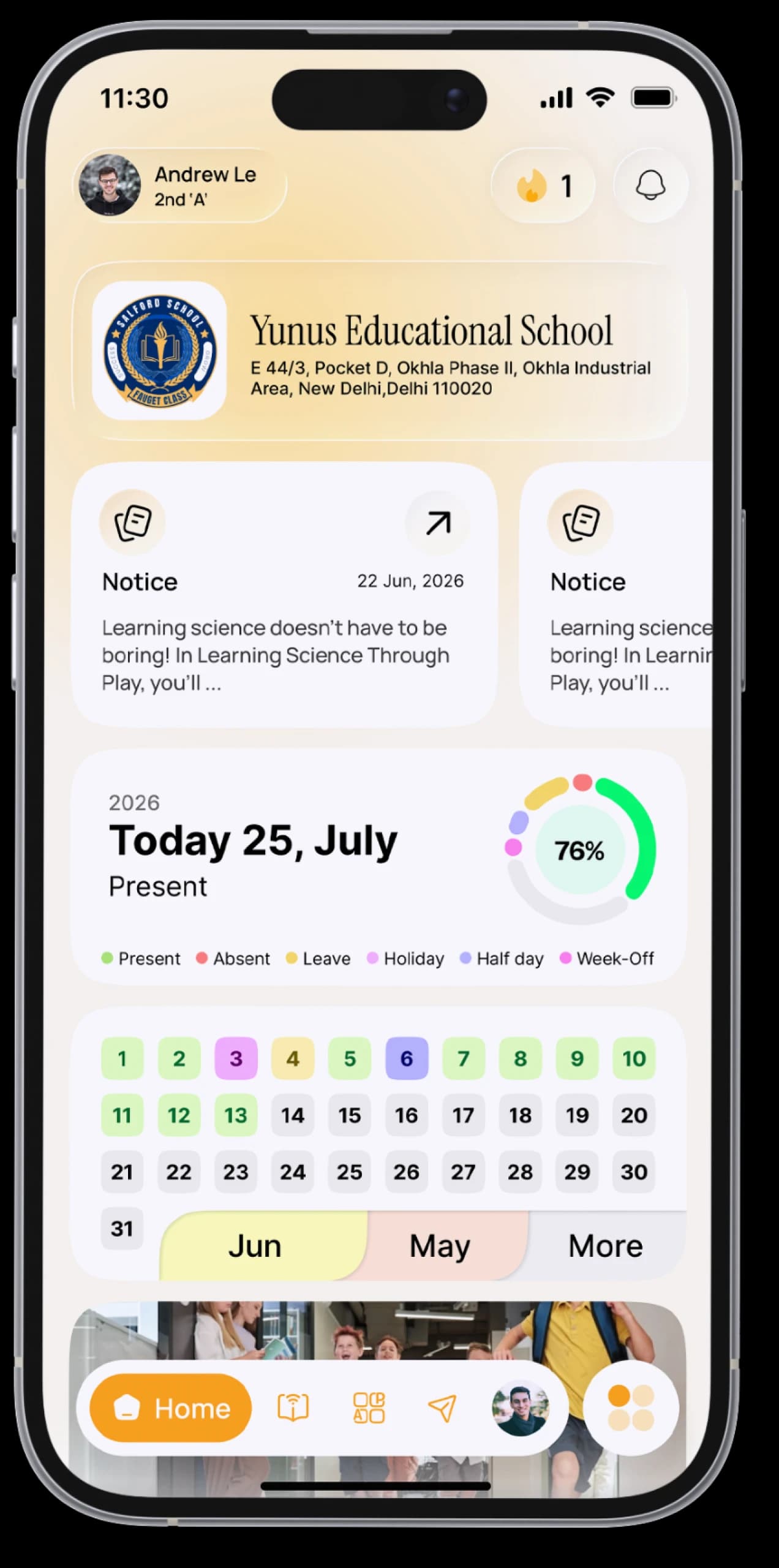
Never miss a notice again.
Circulars and announcements arrive on your Notice Board, complete with attachments, and every update is kept in your notifications.



The everyday problem
Notices get folded into bags, lost in group chats, or reach parents a day too late.
How SchoolAura helps
Your school posts a notice once, and it appears on your Notice Board, marked unread until you open it. Your notifications keep every update in one list.
Made for your day.
For students
- Read every notice, newest first, with unread ones clearly marked
- Open the attachments inside a notice, such as PDFs and images
- Check all your notifications in one list, read or unread
For parents
- See the notices your school sends to parents
Simple, step by step.
- 01
Open Notice Board from the menu, or tap the notice card on Home.
- 02
Tap a notice to read it and open its attachments.
- 03
Tap the bell at the top of Home to see every notification.
Small things, big difference.

One place
Every announcement, together.
Unread markers
Always know what's new.
The full circular
Attachments included.
More ways SchoolAura helps.


Your Day at a Glance
Today's subjects, homework, notices and birthdays on one Home screen, arranged your way.
Learn more

Messages
Message your teachers, and chat and study with classmates and groups.
Learn more

For Parents
Log in with your mobile number and switch between your children, even if they're at different schools.
Learn moreHear it from your school first.
Download SchoolAura and log in with the details your school shared.